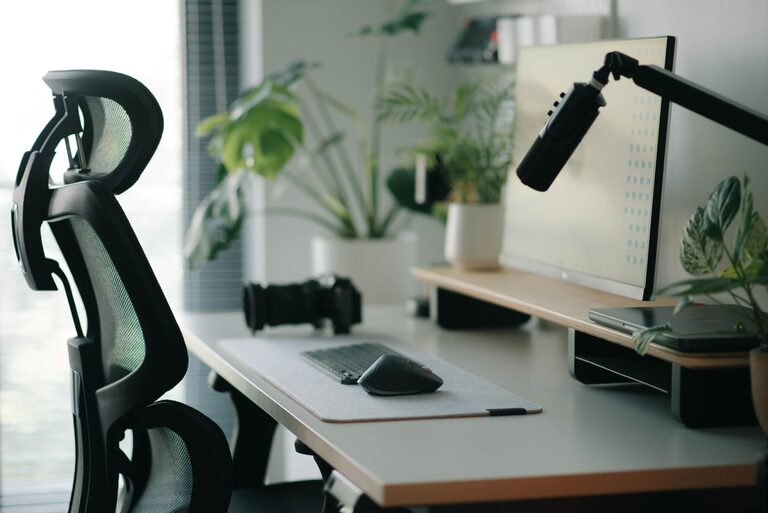
Creating a desk setup that promotes both focus and comfort can make a significant difference in your productivity and overall well-being. Whether you work from home or spend long hours at a desk, the right environment helps reduce fatigue and distractions. Here are practical tips to design a workspace that supports your best work.
Choose the Right Desk and Chair
Desk Selection
Start with a desk that fits your space and work needs. Consider these points:
– Size: Ensure the desk surface is large enough for your computer, essential tools, and some free space.
– Height: Standard desks are about 29–30 inches tall, but your comfort is key. Adjustable desks or standing desks offer flexibility to switch between sitting and standing.
Chair Selection
A good chair supports your posture and comfort.
– Look for adjustable height and back support.
– A chair with lumbar support helps maintain your natural spine curve.
– Consider a seat with breathable fabric and cushioning for long-term comfort.
Optimize Monitor Position
Incorrect monitor placement can cause neck and eye strain. Follow these guidelines:
– Position your monitor about an arm’s length away.
– The top of the screen should be at or slightly below eye level.
– Tilt the monitor slightly back (10–20 degrees) to reduce glare.
– If you use multiple monitors, align them close together at the same height.
Organize Your Desk for Efficiency
Clutter can distract and slow you down. Use these organization tips:
– Keep frequently used items within easy reach.
– Use desk organizers like trays, pen holders, or small drawers.
– Limit your desktop to essential equipment and a few personal items.
– Manage cables with clips or sleeves to avoid tangles.
Improve Lighting
Proper lighting reduces eye strain and increases alertness.
– Use natural light when possible, positioning your desk near a window without causing glare.
– Add a desk lamp with adjustable brightness and color temperature.
– Avoid harsh overhead lighting; softer, indirect light is easier on the eyes.
Ergonomic Accessories to Consider
Small adjustments can make a big difference in comfort.
– Use a keyboard tray or place your keyboard so your elbows are at a 90-degree angle.
– A wrist rest can help prevent strain during long typing sessions.
– Consider a footrest if your feet don’t comfortably touch the floor.
– Use a document holder if you often refer to papers, placing it at eye level.
Maintain Good Posture
Even with the best setup, posture matters.
– Sit with your back straight and shoulders relaxed.
– Keep your feet flat on the floor or on a footrest.
– Take regular breaks to stand, stretch, and move around every 30 to 60 minutes.
Personalize Your Space Mindfully
Adding personal touches can make your workspace inviting but keep distractions minimal.
– Add a small plant for a touch of nature.
– Display a photo or artwork that inspires you.
– Use calming colors like blues and greens, which can help improve focus.
Keep Your Workspace Clean
A clean desk helps maintain a clear mind.
– Set aside a few minutes at the end of each day to tidy your workspace.
– Wipe down surfaces regularly to keep dust and germs at bay.
– Use storage boxes or filing systems to keep papers organized.
Use Technology Wisely
Leverage technology to improve focus and comfort.
– Use apps or browser extensions to block distracting websites.
– Consider noise-canceling headphones if your environment is noisy.
– Set reminders to stand, stretch, or take breaks.
Final Thoughts
A well-thought-out desk setup balances comfort and focus, allowing you to work efficiently without unnecessary strain. By investing time in creating a workspace tailored to your needs, you can enhance your productivity and enjoy a healthier workday. Start small with one or two changes and gradually refine your setup to find what works best for you.
About the Author